
Browse documentation
Personal software · Python & Rust · MIT

Wisp

A terminal coding agent I build for daily work—and for the sheer fun of tinkering with agent runtimes from the loop up. Written in Python and Rust, shared openly to run, read, or build on.

uv tool install --python 3.12 wisp-ai
cd path/to/project
wisp

Python 3.11+ supported; 3.12 recommended for installation. Prebuilt native TUI wheels: macOS arm64 and Linux x86_64 (glibc 2.28+).

Inside a live session

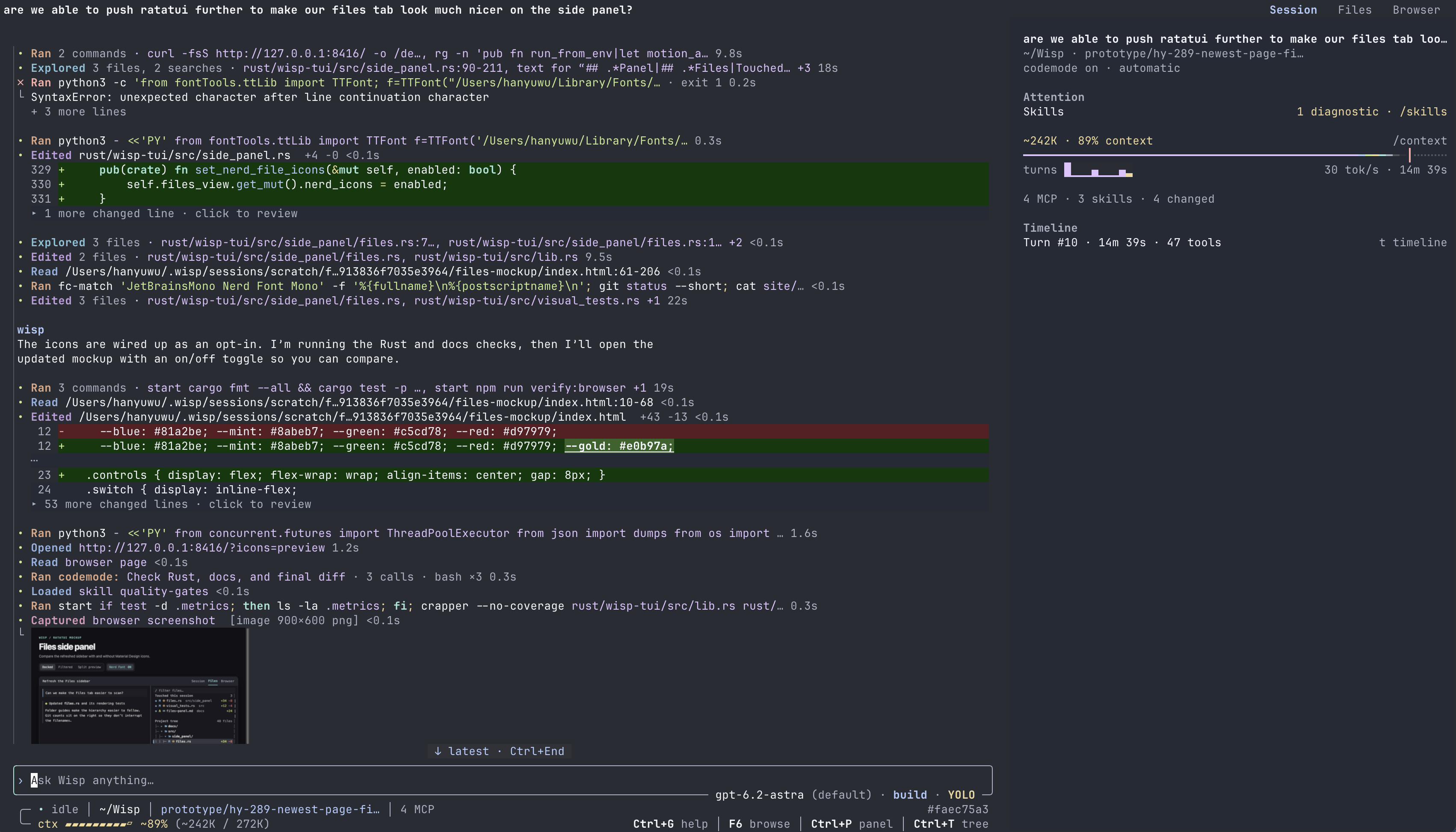
Wisp 0.16.12 live editing turn showing inline syntax-highlighted diffs, codemode and tool calls, an inline browser screenshot preview, the docked Session panel with context sparkline and turn timeline, and the two-row telemetry deck.
Real session screenshot (v0.16.12) · full workspace. Open the image for full size.

Inline syntax-highlighted diffs, codemode calls, captured browser previews, context sparkline, and the two-row telemetry deck.

Explore the terminal workspace →
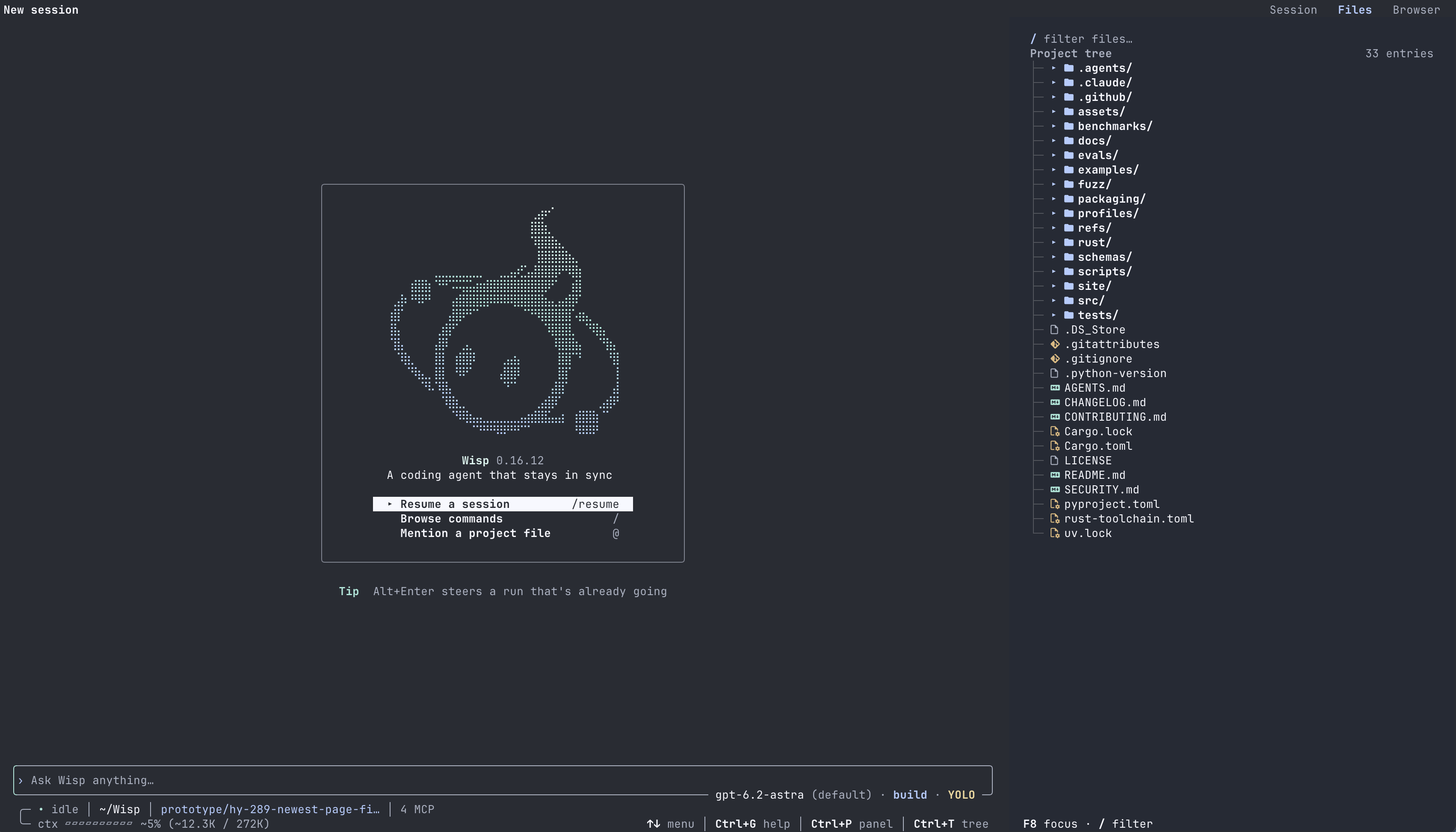
Wisp 0.16.12 workspace with the Files side panel open, showing a project file tree with Nerd Font Material Design file and folder icons and an inline filter bar.
Real session screenshot (v0.16.12) · full workspace. Open the image for full size.

Filter the project tree in the docked side panel with Nerd Font icons, read-only inline previews, and one-key editor handoff.

Side panel guide →
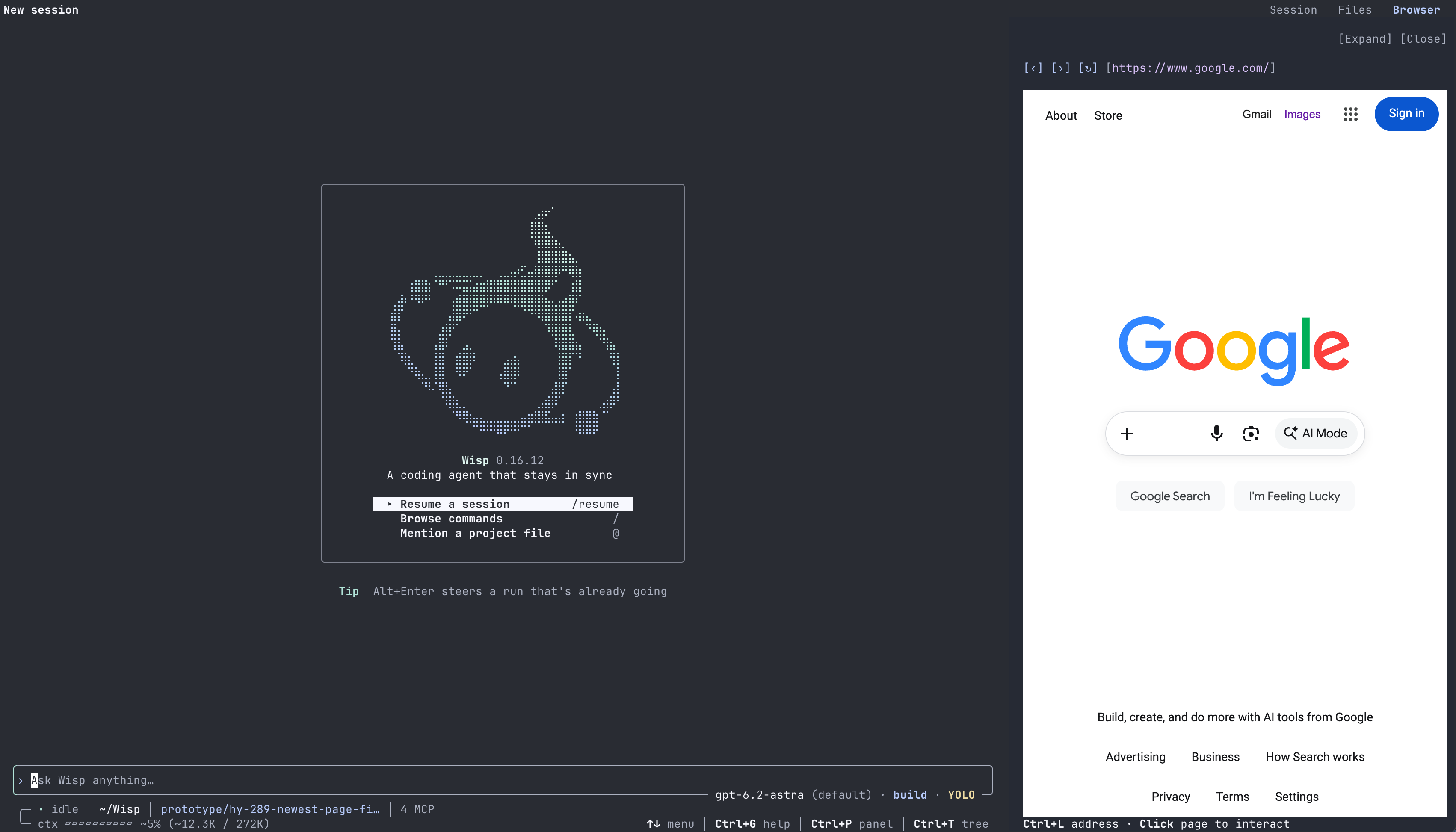
Wisp 0.16.12 workspace with the Browser side panel rendering a live Chrome/Chromium page inside the terminal alongside navigation buttons and address bar.
Real session screenshot (v0.16.12) · full workspace. Open the image for full size.

Open a live Chrome/Chromium tab right inside the terminal to inspect web apps, preview HTML mockups, or take over interactively.

Browser viewport & takeover →
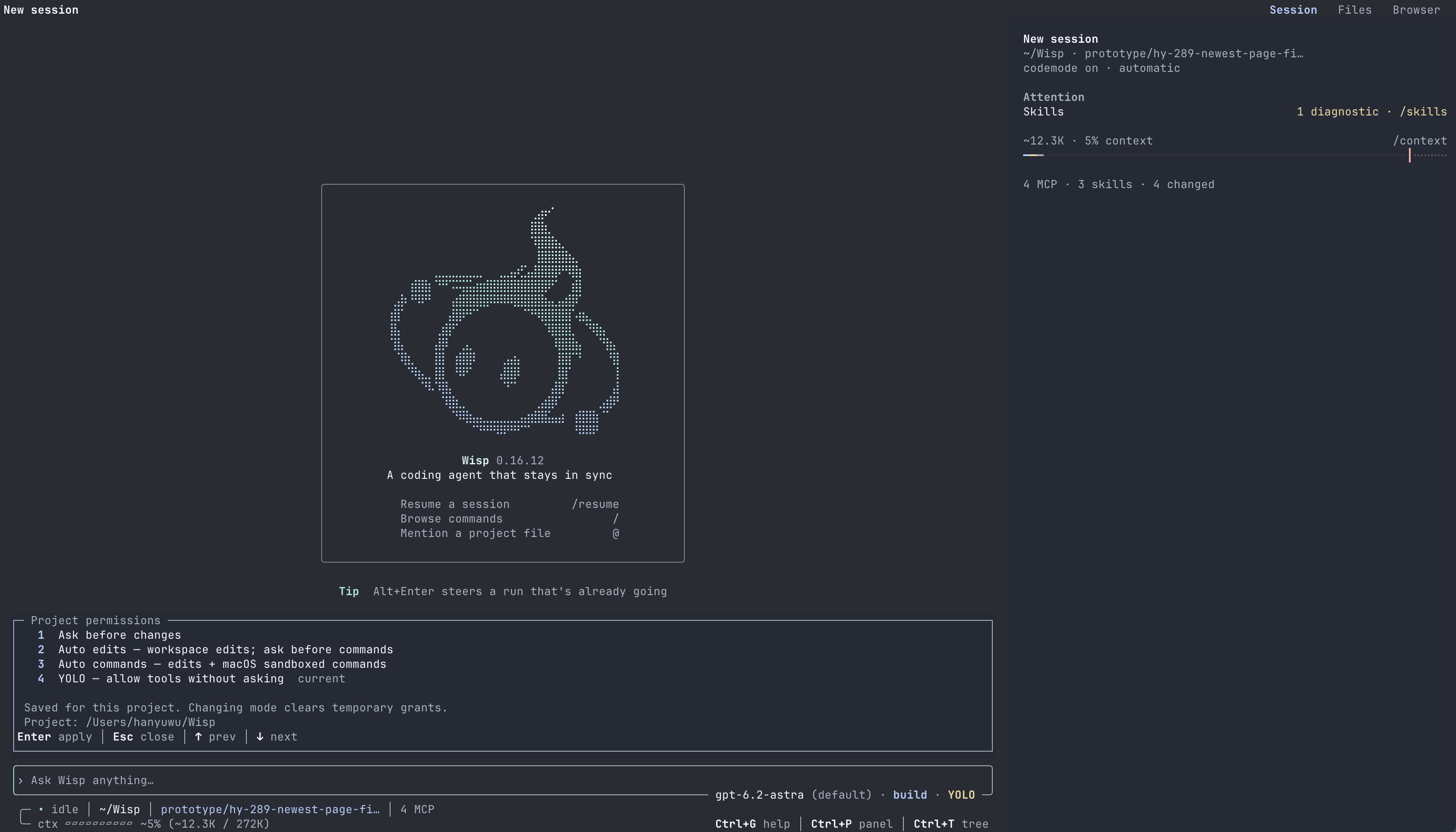
Wisp 0.16.12 workspace with the docked Project permissions panel above the composer and two-row telemetry deck, offering Ask before changes, Auto edits, macOS sandboxed Auto commands, and YOLO.
Real session screenshot (v0.16.12) · full workspace. Open the image for full size.

Keep project trust and tool approval separate—choose Ask, Auto edits, macOS sandboxed Auto commands, saved prefix rules, or YOLO.

Tools & safety model →
Explore the docs

Where to go next

Why I build this

Built for daily use, shared for the fun of it

I started Wisp because the best way to understand coding agents is to build one you actually live in every day. The Python runtime, the native Rust terminal UI, the safety boundaries, and the Crafting Coding Agents book all grew out of having a blast exploring how the pieces fit together.

Because it is personal software, it evolves freely without much ceremony. Everything is MIT-licensed on GitHub—take it for a spin, read the internals, borrow an idea, or fork it into something of your own.

One shared runtime
The Rust TUI, print CLI, JSONL RPC, and Python SDK all drive the same typed engine and append-only session log.
A runnable book alongside the code
Every chapter in Crafting Coding Agents pairs a standalone Python checkpoint with Wisp's real trade-offs.
Made to stay in sync
Steer active runs, queue follow-ups, review per-turn diffs, and keep project trust separate from per-call approval.

Keep poking around

Run Wisp interactively in the terminal, script one-shot runs in print mode, talk to it over JSONL RPC, or embed it from Python. Browse all interfaces, embed Wisp, or read the release notes.